Animation is a natural fit for teaching. It can show processes that are hard to film, simplify complex ideas and keep learners engaged from start to finish. Educational and training videos are among the services listed by Quantumcatanimation.com, alongside explainer videos and motion graphics. This guide looks at when animated learning content works best, how to plan it and how to keep it clear and accessible.
Key Takeaways
- Animation can show processes and ideas that are hard to film.
- Give each video one learning objective and keep it short.
- Plan a consistent series with reusable characters and scenes.
- Captions, contrast and pacing make lessons accessible.
Why Animation Works for Learning
Learning often means building a picture in your head. Animation can draw that picture for the learner: a process broken into steps, a hidden system revealed, a concept turned into a simple visual metaphor. Because every frame is designed, nothing distracts from the point being taught. Animation can also show things that would be difficult, expensive or unsafe to film.
- Simplify: remove unnecessary detail so the key idea stands out.
- Visualise: show invisible or abstract things, such as data flows or how a system works.
- Sequence: reveal steps one at a time so learners are not overwhelmed.
- Engage: characters and movement help hold attention.
Common Uses for Educational and Training Animation
- Onboarding new staff or customers.
- Explaining a procedure, tool or workflow step by step.
- Safety and compliance topics that need to be clear and memorable.
- Course lessons and classroom material.
- Product tutorials and help-centre videos.
Many of these overlap with explainer videos, but training content usually goes deeper and often runs as a series.
Planning a Learning Video
Set One Learning Objective per Video
Write down what the learner should be able to do or understand after watching. One objective per video keeps lessons focused and easy to find later.
Keep Lessons Short
Short lessons are easier to watch, easier to update and easier to revisit. A longer topic can be split into a series of short videos, each with its own objective.
Script for Clarity
Use plain language, define terms as you go and avoid packing in too many points. The tips in how to write an explainer video script apply here too.
Show, Then Tell
Let visuals carry the explanation and use narration to guide attention. On-screen labels and simple diagrams, often built with motion graphics, reinforce the key terms.
Building a Consistent Series
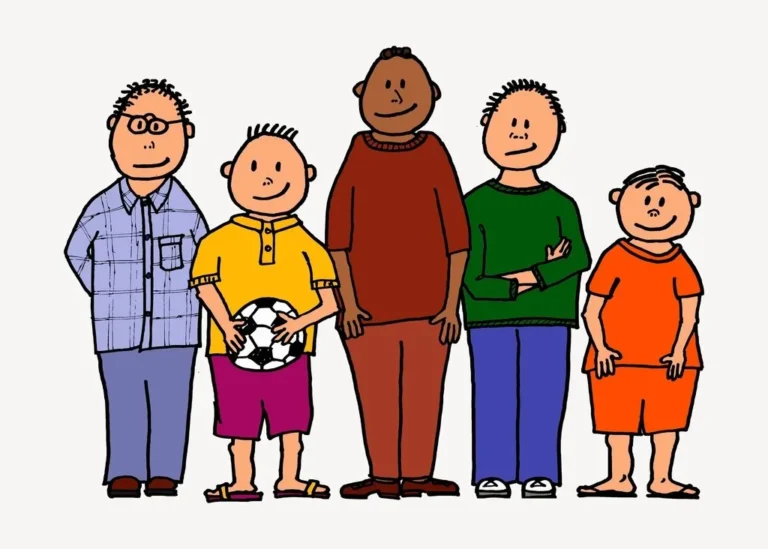
If you plan several videos, decide on a shared visual style, recurring characters and a standard structure from the start. Reusable characters and scenes, often built with rigged 2D animation, keep a series consistent and efficient. Our comparison of frame-by-frame and cut-out 2D animation explains why rigged characters suit series work. A recurring character can also become a friendly guide learners recognise; see character design for animation.
| Lesson format | Best for | Typical approach |
|---|---|---|
| Concept explainer | Introducing an idea | Narrator plus diagrams |
| Step-by-step tutorial | Processes and tools | Numbered steps with labels |
| Scenario lesson | Decisions and behaviour | Characters acting out a situation |
| Quick refresher | Reminders | One key point, very short |
Educational and training videos are one of the services listed on Quantumcatanimation.com.
Accessibility and Inclusion
- Captions: add accurate captions for every video.
- Readable text: use clear fonts, enough contrast and enough time on screen to read.
- Pace: allow pauses after key points.
- Colour: do not rely on colour alone to show meaning.
- Language: keep narration simple, and plan translated versions early if you need them.
Keeping Training Content Up to Date
Procedures and products change. Planning modular scenes, keeping text separate from artwork and keeping source files organised makes later updates quicker. A series of short videos is also easier to refresh than one long one, because only the affected lesson needs to change.
The W3C Web Accessibility Initiative guide to captions explains what good captions include and why they help far more people than viewers who are deaf or hard of hearing.
How Budget Fits In
Educational projects follow the same cost logic as other animation: length, style, characters, voice-over and the number of versions. A series can be efficient because styles and characters are reused. Read animated video pricing explained for the full list of factors.
Choosing the Right Format for Each Lesson
Not every learning topic needs the same treatment. Matching the format to the content keeps lessons efficient:
- Concept explainers: short animated videos that introduce an idea using metaphors, diagrams and a narrator.
- Step-by-step tutorials: animations that break a process into numbered steps, with on-screen labels for each action.
- Scenario-based lessons: characters act out a situation, such as a customer conversation or a safety decision, so learners can see good and bad choices.
- Quick refreshers: very short clips that recap one key point, useful for reminders and follow-up messages.
Measuring Whether a Learning Video Works
The best test of a learning video is whether people can apply what they saw. Simple checks include a short quiz after the video, feedback from learners on what was unclear, and questions that keep coming back to trainers or support teams. If the same questions keep appearing, the lesson may need a clearer visual or an extra step. Because animated lessons are planned in scenes, updating one moment is usually straightforward.
Working with learners and subject experts during script and story planning also makes a big difference. Experts make sure the content is correct; learners show where the explanation is still too complex.
Frequently Asked Questions
Is Animation Better than Filmed Video for Training?
It depends on the topic. Animation is strong for processes, concepts and situations that are hard, costly or unsafe to film, because every frame can be simplified. Filmed video suits demonstrations of physical skills where learners need to see real hands and equipment. Many training programmes combine both formats.
How Long Should a Training Video Be?
As short as possible while still meeting its learning objective. A single focused lesson is easier to watch, find and update than a long video. If a topic is large, splitting it into a series of short lessons, each with its own objective, usually helps learners remember more of it.
Can Animated Lessons Be Updated Later?
Yes, especially when scenes are planned as modules and the source files are kept. Keeping on-screen text separate from artwork also makes changes quicker. Updating one short lesson in a series is far simpler than reworking a long video, which is another reason to plan training content as a set of short pieces.
Explore more guides in Explainer Videos.
Conclusion
Animated educational and training videos make complex ideas easier to understand and remember. Set one objective per video, keep lessons short, design for accessibility and plan a consistent series. To discuss a learning project, visit Quantumcatanimation.com/en.